
Start with the capture source you control
For a presentation, the simplest useful boundary is the source selected in your meeting or recording app. Choose the prepared window, inspect its preview, and confirm the recipient’s view before opening private material elsewhere.
If the demonstration stays inside one window, there is little reason to add a second capture layer. If it crosses several apps, decide which apps belong in the demonstration before starting. A full-display share followed by a promise that one app is “invisible” puts too much trust in behavior outside your control.
For developers building a recorder, the native route is different: configure the recorder’s ScreenCaptureKit content filter. That changes what your own stream captures. It does not grant the app being recorded authority over every other recorder.
This distinction matters when evaluating an overlay, a notes utility, or a support tool that advertises capture protection. Ask which source the receiver is actually watching and which component enforces the exclusion.
What Apple says about the old window flag
The Objective-C name NSWindowSharingNone corresponds to the Swift value NSWindow.SharingType.none. Apple’s current reference describes the value as legacy and explicitly advises against using it to hide or omit captured content.
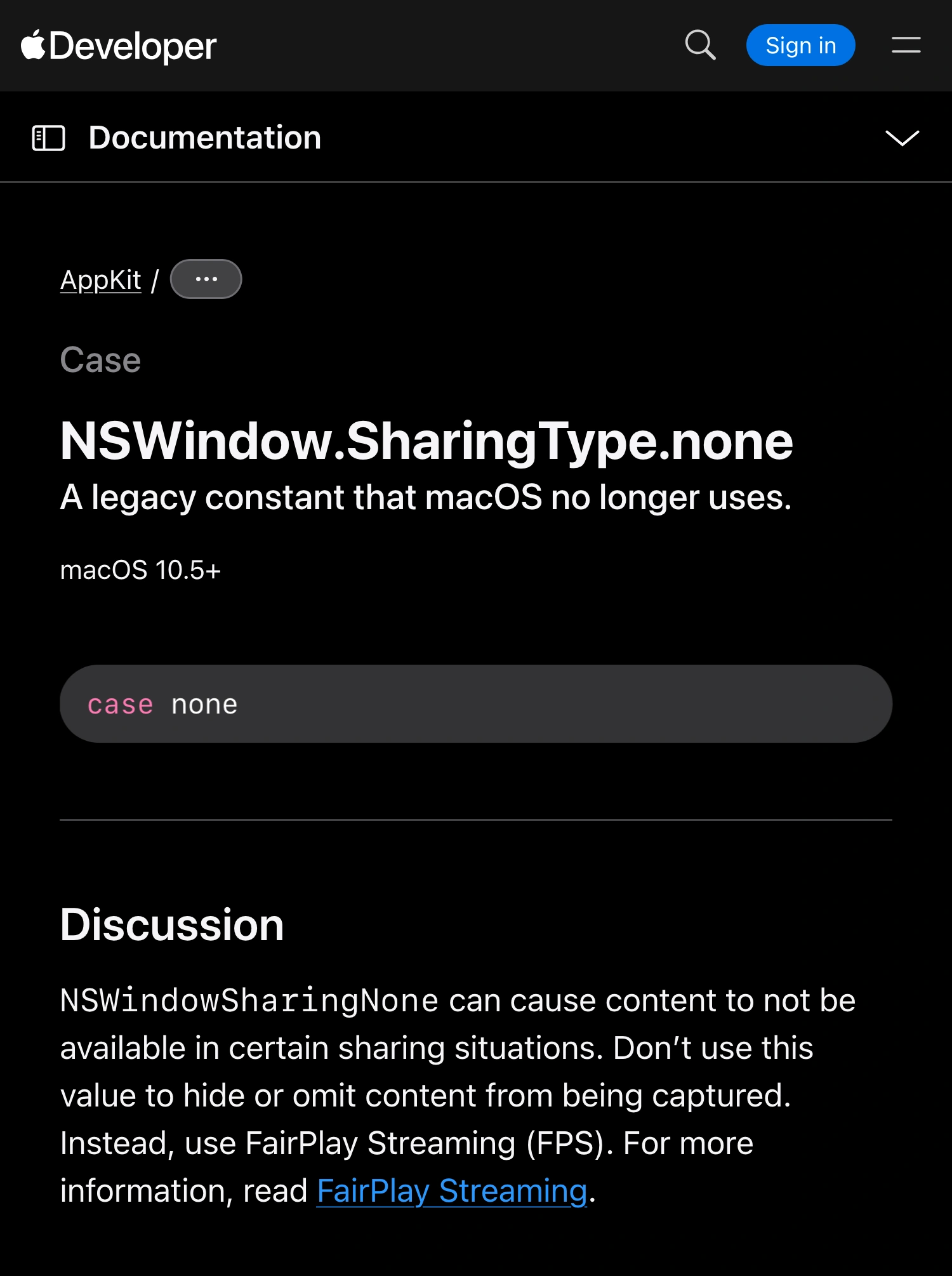
Apple Developer documentation, captured October 5, 2026. The warning concerns capture exclusion; the availability label is not a guarantee that modern capture honors the flag.
That rules out a general promise such as “set this property and no screen recorder can see the window.” A successful test with one tool is evidence about that particular setup, not a platform-wide guarantee.
Apple’s discussion points to FairPlay Streaming. FairPlay’s own documentation describes protection for streaming media delivered through HLS. It is not a general setting for hiding arbitrary chat windows, code editors, or desktop notes.
Why Electron content protection needs the same caution
Electron exposes win.setContentProtection(true). Its BrowserWindow reference explains that the macOS implementation sets the window-sharing flag. It also warns that newer applications using ScreenCaptureKit can still capture the window.
For an Electron app, a successful setter call therefore answers a configuration question: the app requested that setting. It does not prove that another application’s outgoing video omitted the content.
Keep those two checks separate in an issue report:
- Record whether the requested setting was applied.
- Record what the actual recipient or recording received.
- Identify the macOS version, recorder version, source type, and whether recording was restarted.
Do not resolve a privacy bug solely because the application reports content protection as enabled. The observable result is the evidence that matters to the person sharing.
A capture filter belongs to the recorder
Apple’s ScreenCaptureKit session explains the relationship between shareable content, a content filter, and a stream. A recorder selects the display, application, or window content it wants to capture.
The display filter initializer provides application exclusions with window exceptions. Those exceptions modify that filter’s result. They are not a global deny list imposed on other processes.
| Control | Who configures it | What you can reasonably verify |
|---|---|---|
| Window-sharing flag | The app whose window may be captured | Its local setting, plus behavior in a particular capture test |
| Selected meeting window | The presenter in the meeting app | The source actually sent to attendees |
| ScreenCaptureKit filter | The app creating that capture stream | Included and excluded content in that stream |
| Separate recorder source | The person making the recording | The saved file, independently of the live meeting |
The practical consequence is simple: a correct filter in recorder A says nothing about recorder B. Likewise, a filtered meeting feed does not automatically change a separate local recording that still captures the physical display.
For OBS, the multiple-window recording guide covers choosing the intended source. Treat the saved recording as its own deliverable and inspect it directly.
When ScreenK9 is a useful extra layer
ScreenK9 is useful when a live walkthrough needs several approved apps while other apps remain open locally. It creates a filtered, ordinary window named ScreenK9 — Audience View.
Choose Show only selected, approve the apps required for the walkthrough, inspect Audience View, and share that window in the meeting or recording app. The multi-app setup guide walks through this arrangement.
This is an explicit source-selection workflow. It does not make the excluded applications universally invisible to other software. Sharing the physical display directly bypasses ScreenK9’s output.
Ordinary app rules include or exclude an application’s windows together. They cannot keep one ordinary app window public while automatically treating another as private. Chrome profile classification is a separate companion-extension feature with its own setup and limitations; it should not be assumed to exist for every browser.
ScreenK9 also offers manually placed audience-only redaction regions. These are fixed areas you position and verify, not OCR, automatic secret detection, or content-aware tracking.
Verify transitions, not just the opening frame
Use harmless sample content during the rehearsal. Put a distinctive test label in the window that should stay private so you can recognize an accidental inclusion without exposing real information.
| Rehearsal step | Evidence to inspect |
|---|---|
| Start the selected share | Recipient sees the intended prepared source |
| Open another window in an approved app | Every newly visible item is approved |
| Switch to an excluded app locally | Its test label stays absent from the outgoing picture |
| Change the selected source | The receiver still sees the intended boundary |
| Stop and restart sharing | Source selection and exclusions still match the plan |
| Make a separate recording | Playback contains only the approved content |
If any transition exposes the test label, stop sharing, narrow the source, and repeat that transition. Do not “fix” the test by closing the private window only after the receiver has already seen it.
Save the app and OS versions with the result. Recheck after updates or changes to the capture arrangement. This matrix is a suggested verification procedure, not a claim that every macOS and conferencing combination was tested for this article.
The useful rule
Treat an old window flag as insufficient evidence of capture privacy. Build the boundary where you control the outgoing source, then verify the recipient’s view and any independent recording.
Current documentation and ScreenK9’s capture implementation were reviewed October 5, 2026. The embedded Apple session explains the underlying API model; current documentation governs the limitations described here.